 Sam Zoloth
TL;DR
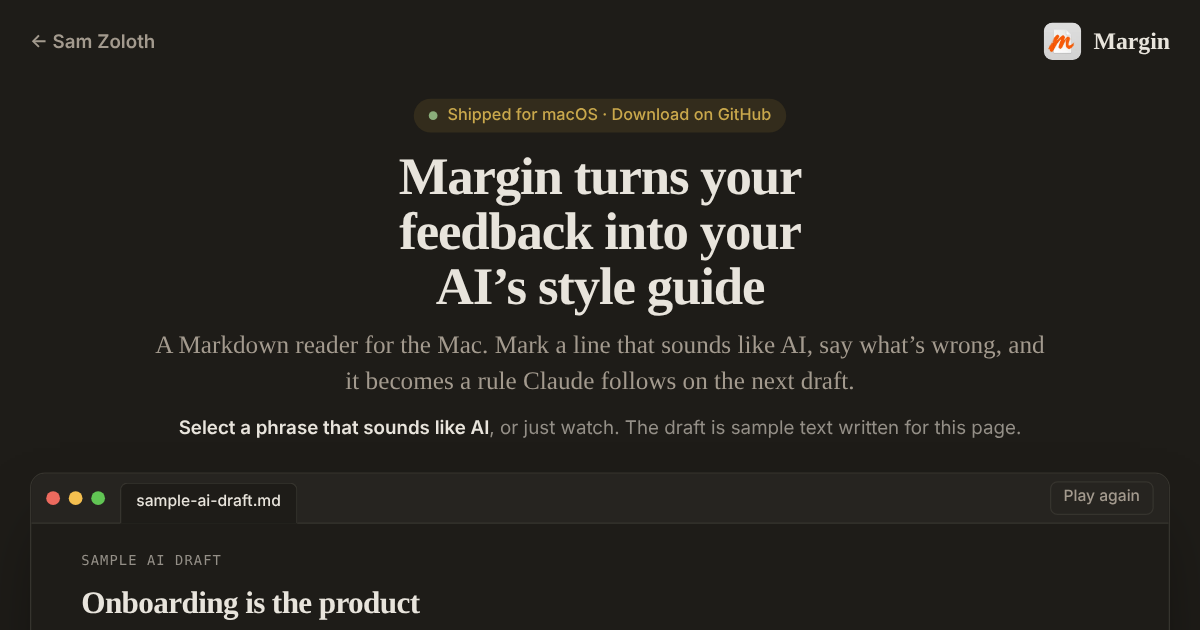
Most AI writing tools treat every session as a blank slate. You correct the same mistake, the same phrasing, the same flat corporate tone, and next time you correct it again. Margin is a macOS annotation app built to break that loop. You mark up AI-generated text with corrections and voice signals. Those corrections compound into a structured writing guide your AI reads before it writes anything.
I built it as a solo project during a job search, shipping a macOS desktop app, local database, and Python optimization pipeline. The result is a local-first annotation tool with a self-improving eval and rule system, and a proof of concept that a PM who uses AI aggressively can build real software without a dedicated engineering team.
Impact:
- Tested 9 prompt architectures across 32+ runs on a 27-prompt adversarial eval set backed by 258 corrections and 272 rules.
- Proved upfront rules-only prompting hurt compliance (
25.9%pass rate, 38 mechanical issues on the repaired benchmark vs.59.3%zero-shot baseline), while a two-pass editor led at66.7%pass rate and more than halved mechanical issues (41 → 16). - Proved synthesized rules are load-bearing: swapping rules for raw corrections in the same two-pass editor dropped pass rate from
66.7% → 55.6%and doubled mechanical issues (16 → 35). - Replicated the editor advantage across models (
66.7% → 70.4%pass rate, reducing mechanical issues 14 → 9). - Automated repeat-pattern cleanup with GEPA/DSPy on local
claude -p: detected 14 repeat corrections, diagnosed 13, and applied 13 rule fixes (7 vague-to-specific rewrites, 6 near-miss variants) with zero API spend. - Full design token audit: WCAG AA contrast failure (
2.7:1→4.5:1) identified and fixed in one pass.
Context
Why I built it
I was using Claude heavily for writing: cover letters, PRDs, outreach, blog posts. The output was competent but generic. I kept adding the same corrections to every draft: stop with corporate buzzwords, don't end with a summary paragraph, write short sentences after long ones. There was no way to give Claude a persistent memory of how I write.
The tools that existed were either too lightweight (a simple system prompt file) or too heavy (full prompt engineering platforms that assumed you were building products, not writing for yourself). I wanted something that lived on my machine, required no account, and got smarter the more I used it.
What it is
Margin is a Tauri1 + React desktop app for macOS. You open a markdown file, read it in a clean document view, and annotate: highlights in six colors, margin notes in the gutter, corrections with voice signals. The annotation layer lives in a local SQLite database alongside your files. There's no cloud sync, no telemetry, no account creation.
The core loop: annotate a draft, Margin extracts writing patterns, rules are written to ~/.margin/writing-rules.md, Claude reads the file before it writes. Over time, the file becomes a detailed specification of how you write, built from evidence rather than guesswork.
Scope
I built every layer: the desktop app, the annotation data model, the rule extraction system, the Python optimization pipeline, and the MCP server that connects Margin to Claude Code. The project runs as a real portfolio centerpiece, with design decisions documented and technical choices made under solo shipping constraints.
Design system
Warm palette: paper over SaaS
The color palette was a deliberate choice, not a default. Margin's surface is off-white (#faf8f5), body text is warm near-black (#1a1a1a), muted text sits at a warm gray (#4a4540), and the accent is amber (#c4956a).
The goal was to make the tool feel like it belonged on paper, following the editorial tradition of iA Writer, Bear, and printed reading material, rather than inside another SaaS dashboard. Most productivity apps default to a cool, neutral palette (blue-grays, desaturated whites) that looks professional but generic. Warm neutrals are rarer on screens because they require more intentional color work; the OS default will not get you there. Building the palette from neutrals first meant the amber accent landed with purpose instead of competing for attention.
Warmth also changes the reading experience. Annotation tools are used for focused reading: you sit with a document, not scan a dashboard. A warmer environment reduces visual fatigue over long sessions. The palette choice was downstream of the use case.
WCAG contrast: a real failure, caught and fixed
During a design token audit, a 6-agent design swarm2 identified a WCAG AA contrast failure in the token system. The text-tertiary token, used for secondary labels and metadata, was sitting at 2.7:1 contrast ratio against the off-white background. WCAG AA requires 4.5:1 for normal text.
2.7:1 is not a borderline case. It's a real legibility failure for users with reduced contrast sensitivity, in bright-light conditions, or on lower-quality displays. The fix wasn't optional: I adjusted text-tertiary to 4.5:1 in the same commit that consolidated the type scale.
The same audit pass warmed semantic colors (success, danger, warning) to match the palette (green and red sat cooler than the amber accent, breaking visual coherence), consolidated a 10-step type scale down to a smaller set of intentional sizes, and added systematic shadow and radius tokens.
Type scale: simpler systems ship better
The original type scale had ten distinct steps. In practice, the app used a fraction of them, inconsistently. Consolidating to a tighter, documented scale made the UI more coherent (fewer visual weight decisions to make) and more maintainable (fewer tokens to track when adding new components).
This is the same instinct that shows up in the data layer. When annotation exports needed deduplication, the easy answer was to delete exported records. Instead, I added an exported_at timestamp column: exports are idempotent, history is preserved, re-exporting never loses work. The right primitive (a timestamp) costs almost nothing and prevents an entire class of bugs.
Chrome as ambient utility
The sidebar controls collapse by default and reveal on hover.3 When you're reading, the interface recedes. When you need it, it's one cursor movement away.
The inspiration came from Arc, Dia, and Linear, each of which experimented with autohiding navigation in browsing and task contexts. Reading required a different calibration. Browsers can hide their tabs because tab-switching is intentional and episodic. A document reader needs to protect sustained attention. Any persistent visible element competes with the text, regardless of whether you're actively using it. Collapsing by default removes that competition.
The piece that made it viable was the Cmd+K command palette. Hiding chrome only works when commands stay reachable. Cmd+K centralizes commands (opening files, switching modes, exporting annotations) so new functionality lands in the palette instead of adding persistent UI. The interface stays clean as the feature set grows. Each command in the palette is one fewer reason to resurface chrome.
The palette started as a single scrolling list, every command occupying the same visual space. That worked when Margin had a handful of commands. As the feature set grew, scanning it required holding context the UI wasn't providing.
The redesign structured it as two columns: recent files on the left, actions on the right. File opening now routes through the palette entirely (both ⌘O and the + button), with filesystem search replacing the native file dialog. The left column answers "where was I?" The right answers "what can I do?" These are different cognitive modes, and collapsing them into a flat list pushed sorting work onto the user that belonged in the interface.
Raycast, Linear, and Arc make the same structural choice. Recency and action discovery are both useful, but they serve different moments in a workflow. A two-column layout makes that explicit without adding UI chrome.
The file search backing the palette runs on SQLite FTS54 — a full-text search extension that replaces sequential scanning with an inverted index. Search stays fast enough to feel instant rather than merely responsive, which matters for a palette that's supposed to disappear while you're thinking.
Writing Rules
The core product mechanic is a feedback loop built from three moving parts.
Corrections are the raw input. When your AI writes something wrong (wrong tone, wrong phrasing, wrong sentence pattern), you highlight it and write a note. Margin captures the original text, your correction, and the surrounding context. Each correction is tagged with a writing type (general, email, prd, cover-letter, etc.) so rules stay scoped to the context where they matter.
Voice signals extend this. Not every correction means "stop doing this." Some mean "do more of this." A polarity system lets you mark corrections as positive (emulate this) or corrective (avoid this). The result is a two-sided specification: what to reach for and what to stay away from.
Rules are what the system produces. Corrections synthesize into concrete writing instructions, not vague preferences but actionable rules with examples and severity markers. Rules export automatically to ~/.margin/writing-rules.md. Point Claude at this file and your preferences are applied before it writes anything.
The loop runs continuously. Annotate a draft, close the app, open Claude: the rules are already updated. No synthesis step, no manual entry.
Taste Criteria
The polarity system initially treated positive and corrective annotations as two flavors of the same object. v1.16.0 formalized the positive side into a distinct entity.
Where a Writing Rule says "stop doing this," a Taste Criterion says "do more of this." Positive-polarity highlights5 are no longer just tagged; they become named, reusable entries in your writing profile — separate from the flagged-pattern pool. The profile exports as two partitioned sections: Taste Criteria at the top, Writing Rules below. The distinction matters for how an LLM consumes the profile. A model receiving both sections can reach toward your voice rather than only away from your mistakes. It changes what the profile specifies: not just an avoidance list, but a two-sided target.
The product model shifted from corrections-only to a two-sided specification. That shift changed what Margin fundamentally is: less a mistake-catcher, more a voice extractor.
Feedback types
Corrections started as undifferentiated objects. Whatever note you left on a highlight had the same schema weight: text in, text out, polarity flag. Enough to generate rules, but the data had no concept of what kind of correction you made.
I added a feedback_type column to the corrections table: an 8-type enum (question, suggestion, edit, voice, weakness, evidence, wordiness, factcheck). The taxonomy came from researching Hermes, an AI writing coach that structures feedback across similar dimensions.6 Rather than build types from scratch, I mapped Hermes' model to Margin's data layer. One week of competitive analysis, compressed into one schema decision.
The downstream UX follows from the type. Color-coded highlights signal feedback kind before you open the note. Filtering by type collapses a flat annotation list into a structured audit: every factcheck flag in one view, every voice deviation in another. In rule synthesis, types carry different weight: factcheck is higher-stakes than wordiness, and the rule engine reflects that when generating guidance.
Existing corrections default to null. Retrofitting a type onto prior records means inventing intent that was never captured at annotation time. null is a backward-compatible contract: prior sessions stay intact, type-aware features apply to all new annotations going forward.
The same Hermes research that informed the feedback taxonomy surfaced a second gap. Hermes closes its feedback loop inline: it shows you a suggested replacement and lets you accept it with one click, right where the feedback surfaces. Margin's corrections captured the suggestion but didn't close the loop — acting on it required a separate synthesis pass.
I added an Accept action to edit-type corrections. When a correction carries a suggested_edit value, an Accept button appears alongside the correction note. One click applies the replacement directly into the TipTap editor. The accepted state persists in the database; Dismiss remains available for corrections you want to log but not apply. The design principle is the same one Hermes uses: close the feedback loop where it surfaces, not in a separate flow.
Autoresearch
Writing rules only matter if they produce better output. The concrete question Margin needed to answer: given a set of rules and corrections, which prompt architecture makes a model follow them most reliably?
Testing that by hand across nine writing types would take hours per iteration. So I built an unattended eval suite and optimization loop that keeps or reverts changes against the pass metric.
Architecture tournament and repaired benchmark
Six architectures initially competed across a 27-sample evaluation suite (9 writing types × 3 adversarial prompts), backed by 258 corrections and 272 rules. When the zero-shot control scored 77.8% in early testing, auditing the checker exposed a broken ~4%-recall proxy and unfiltered training records where positive voice samples appeared inside "avoid" blocks.
Re-running on the repaired suite inverted the naive assumptions:
- Zero-shot control (
null):59.3%pass rate,41mechanical issues. - Rules dump (
arch-a):25.9%pass rate,38mechanical issues — stuffing all rules into the generation prompt boosted prose score (45.3vs.39.9mean dimension) while hurting compliance pass rate. - Corrections + rules hybrid (
arch-e):44.4%pass rate,39mechanical issues (44.4%even when trimmed to top-10 rules). - Production skill path:
63.0%pass rate,19mechanical issues (44.7mean dimension). - Two-pass editor (
arch-c):66.7%pass rate,16mechanical issues — drafting freely first and revising against synthesized rules cut mechanical issues 41 → 16.
Separating drafting from editing explained why single-pass prompting stalled: trying to generate ideas and obey dozens of negative constraints simultaneously creates hedging and structural tells like negative parallelism.7
Two targeted ablations confirmed what was doing the work inside the two-pass loop:
- Synthesized rules are load-bearing (
c-corr): Swapping synthesized rules for raw correction history in pass 2 dropped pass rate from66.7% → 55.6%and more than doubled mechanical issues (16 → 35). Individual corrections don't generalize at edit time; compressed rules do. - Explicit self-critique hurts (
c-crit): Inserting an intermediate "list what sounds like AI" step between drafting and editing dropped pass rate to51.9%(28 issues), and passing the rules to that critic dropped it to40.7%(32 issues) as the reviser over-corrected generic checklist items. - Cross-provider check: On a second model family (
muse-spark),nullscored66.7%(14 issues) and the two-pass editor hit70.4%(9 issues), reducing mechanical issues by roughly a third.
GEPA: cleaning up failing rules
Alongside prompt optimization via DSPy MIPROv2,8 I built GEPA (Gap-Exposure Pattern Analysis) on a local claude -p wrapper so rule maintenance ran on subscription instead of API billing. Across the rule corpus, GEPA flagged 14 repeat correction patterns, diagnosed 13, and proposed 13 targeted fixes (7 vague-to-specific rule rewrites and 6 near-miss variants). Meanwhile, benchmark comparisons showed GEPA/DSPy tuning couldn't outrun an overloaded data layer (arch-h ≈ arch-e), reinforcing that editing architecture mattered more than prompt wording tweaks.
Portability
The annotation layer on Margin's desktop produces structured data: corrections with context, voice signals, feedback types, rule synthesis. That data only matters if it reaches the tools you actually write with.
margin export coaching-prompt — added in v1.16.0 — generates a structured prompt from high-signal rules and annotated corrections. The format is portable: not a Claude-specific schema, not tied to any agent's configuration system, just a well-formed text prompt any system can consume. Run the export, and the next agent you prompt has your writing profile as input context. The MCP server uses a stateless design with evidence attribution — each rule traces back to the specific corrections that produced it, so an agent receiving the profile can weight rules by how much evidence backs them.
v1.16.2 completed the portability arc. The skill install pipeline and export format were generalized to work across agent runtimes: Claude Code receives rules via a pre-tool hook (mechanical enforcement before every write), Codex via AGENTS.md injection, generic MCP clients via prompt context. A single ~/.margin/writing-rules.md file sits at the center as the universal artifact. The underlying architecture decision — export a structured profile rather than bake in Claude-specific tooling — paid off: adding Codex support required a configuration addition, not a rewrite.
The full arc: annotate a draft on the desktop → corrections compound into rules → margin export coaching-prompt packages them → any agent you work with reads your voice.
What I'd Do Differently
Ship the MCP server earlier. The annotation data is most useful when agents can query it in real time instead of reading an exported file. Building the MCP server late in the project meant the early autoresearch runs couldn't query live correction history. The richer the context the optimizer has, the better the rules it produces.
Validate the core loop with real users before adding features. I shipped autoresearch, diff review, integrations, and MCP tools before testing whether the basic annotations-to-rules loop changed how anyone wrote. The product works, but I built a lot of surface area before proving the center.
Case study documented March 2026; eval figures updated from logged Margin eval runs.